Look after your dog, without the noise.
Kwispel is a calm health and care tracker. One daily check-in, quick logs for medication and vaccinations, and a clear report for the vet. No feed, no ads — just good care.
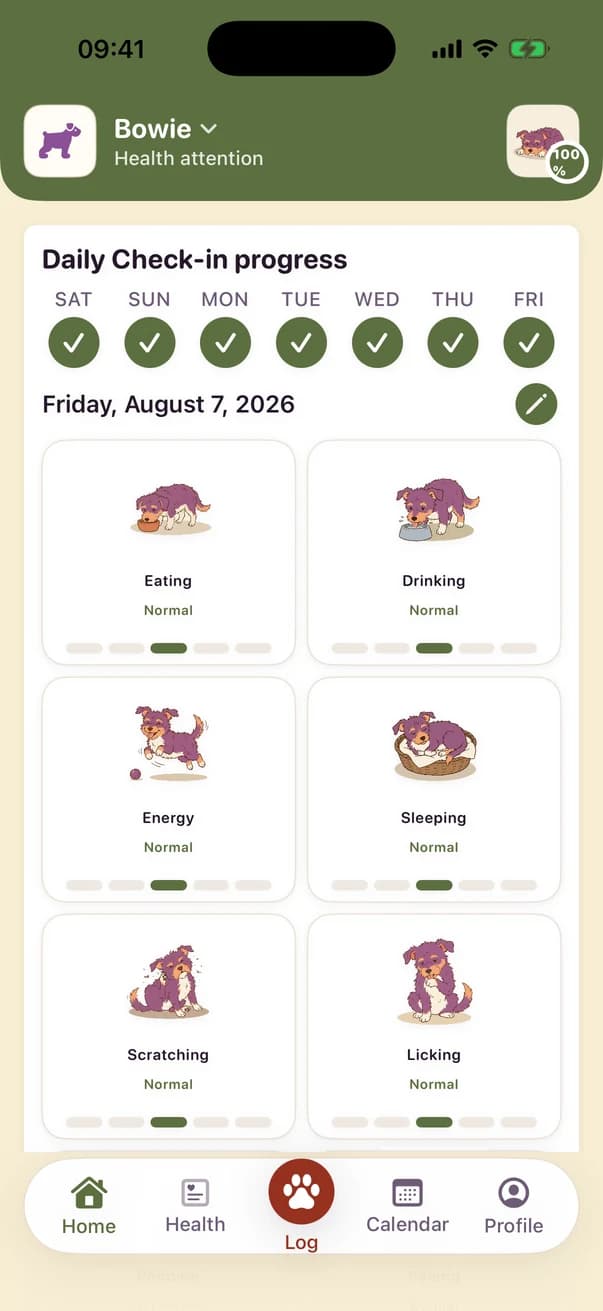
Everything about your dog, in one calm place
Kwispel is built around one question a day — and keeps the answers so you never have to reconstruct them from memory.
One daily check-in
Eating, drinking, energy, sleep, scratching, licking, toilet. Eight taps, once a day. Kwispel remembers what normal looks like for your animal, so a change stands out instead of getting lost.
Medication and vaccinations
Use Kwispel to record medication, vaccination and parasite-treatment entries. Review the dates you entered in one place, and ask your vet about schedules or doses.
A diary, not a feed
The calendar shows what actually happened — meals, walks, water, weight, toilet breaks — banded by time of day and editable after the fact. Nothing scrolls past you.
A report your vet can read
Turn weeks of logs into a short, printable summary: what changed, what you noticed, what you kept up. Bring it to the appointment instead of trying to remember.
Care routines that fit the breed
Choose a breed, then review the routine options Kwispel shows for your dog. You choose what to add and can edit it later; care decisions remain yours and your vet's.
Share the care with your household
Invite other carers to see the same care log and add their own entries. Use it to compare what was recorded together; it is not a medication-safety system.
What it looks like
Real screens from the app — no mock-ups.
Home
Today's check-in and how the week has gone so far.
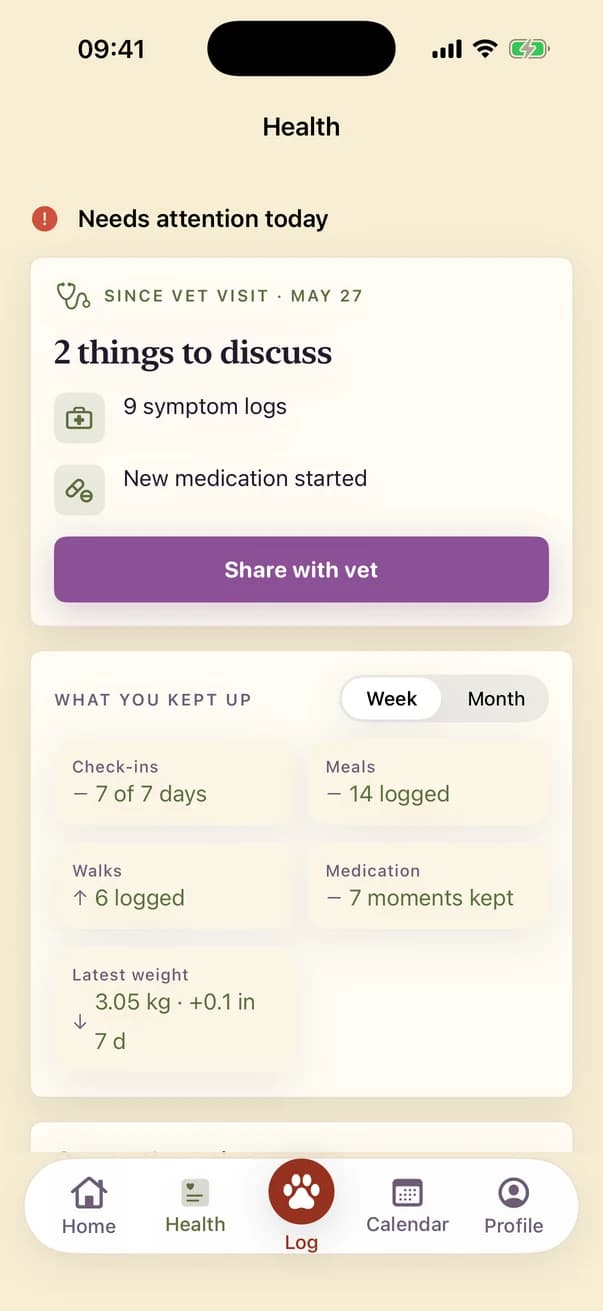
Health
What you kept up, what is active, and what to raise with the vet.
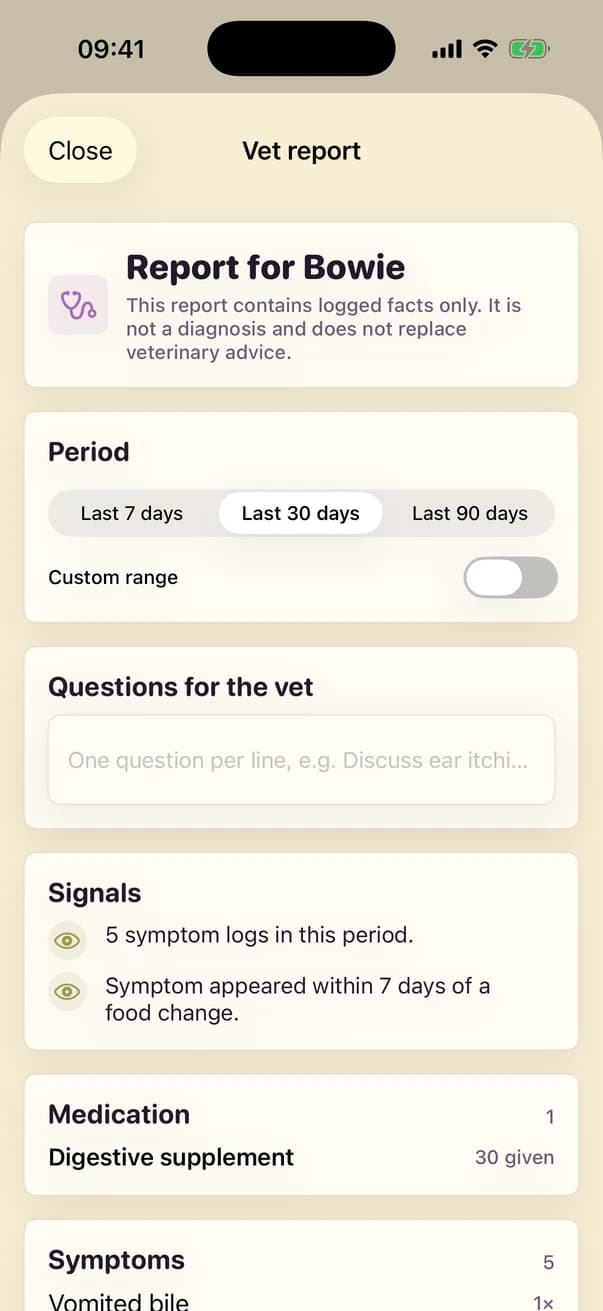
Vet report
Weeks of logs as one short summary you can take to the appointment.
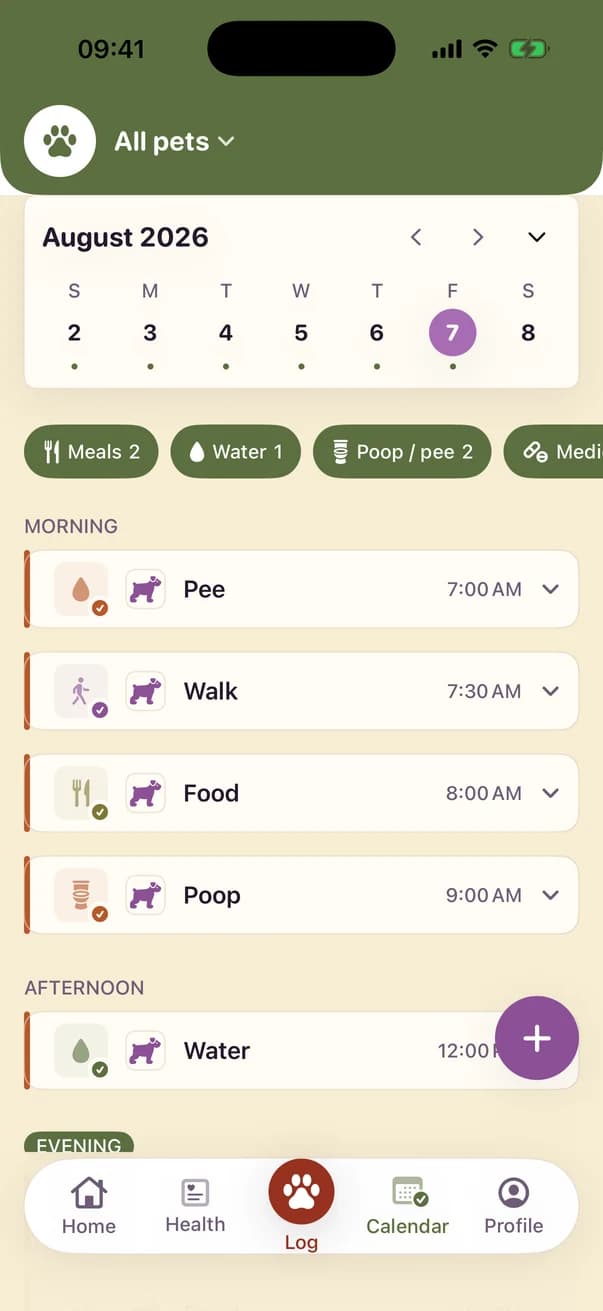
Calendar
The day as it actually happened, banded morning to evening.
How it works
Add your dog
Name, breed, birthday, a photo. The breed picker sets up sensible care routines you can change at any time.
Check in once a day
A short pass over eating, drinking, energy and sleep. Log medication or a walk as it happens — it takes seconds.
Bring the report to the vet
When something is off, you arrive with dates and patterns instead of a vague feeling. That is usually the difference in a ten-minute appointment.
Your dog's data stays yours
Kwispel has no accounts and no servers of its own.
On your device and your iCloud
Everything you enter is stored locally and synced through your own Apple account with CloudKit. We cannot see it, sell it or share it.
No account, no ads
There is nothing to sign up for and the app shows you no ads. To see which of our own ads work, the app can report a few moments — install, trial, first subscription — to Meta: in Europe only if you allow it, elsewhere you switch it off under Profile → Account → Ad measurement. Nothing you enter about your dog is ever part of it.
Anonymous usage statistics
We measure fixed event names — a screen opened, a care moment logged — to see where people get stuck. Dog names, notes, photos, weights and health data are never sent.
A record, not a diagnosis
Kwispel helps you notice and remember. It does not diagnose, does not give medical advice and does not set doses. For anything worrying, call your vet.
Start with tomorrow's check-in
One minute a day is enough to build a record worth having.