Tracking weight and vital signs
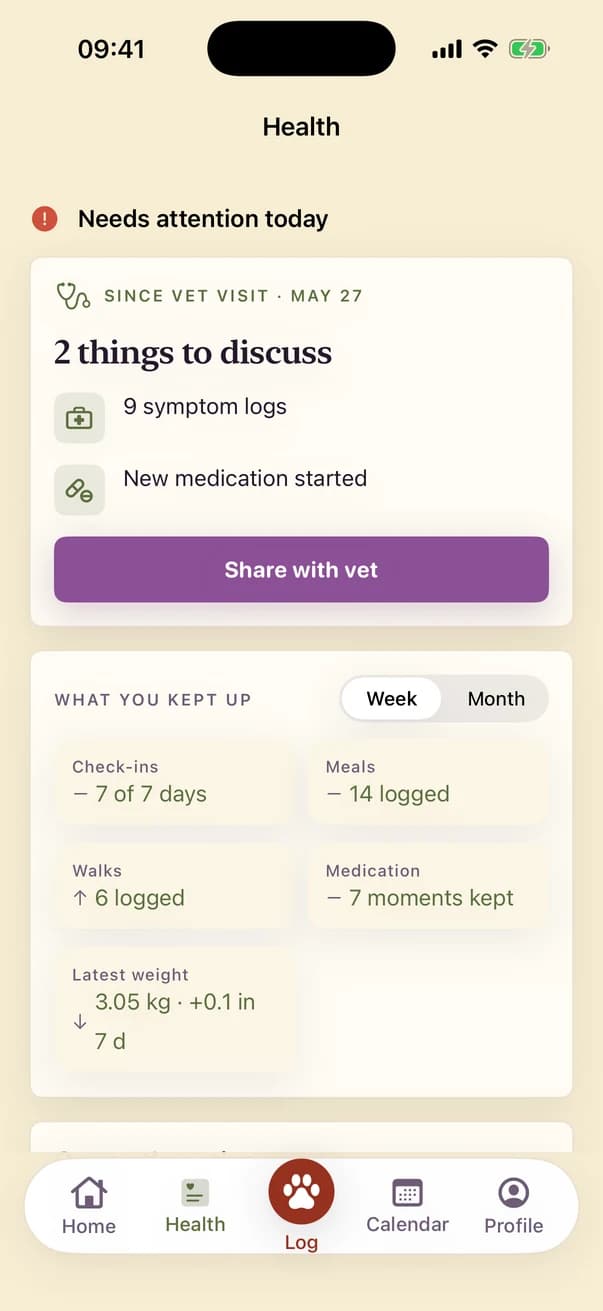
In Kwispel you log your dog’s weight in kilograms or pounds, and under Measure the vital signs: temperature, blood pressure, heart rate and breathing rate. For heart and breathing rate there is a tap counter that runs for 30 or 60 seconds. The Health tab shows the latest weight and its change over seven days.
Written by the Kwispel team. We make Kwispel. Checked against Kwispel 1.5.6 on 25 September 2026. Spotted a mistake? Email [email protected] and we will fix it.
Which readings and units are there?
| Reading | Unit or method |
|---|---|
| Weight | kg or lb, switchable |
| Height | cm |
| Temperature | °C |
| Blood pressure | mmHg, systolic and diastolic |
| Glucose | mmol/L |
| Heart rate | Tap counter over 30 or 60 seconds, or type the number |
| Breathing rate | Tap counter over 30 or 60 seconds, or type the number |
How does the tap counter work?
Start the counter and tap once for every heartbeat or every breath. After 30 or 60 seconds Kwispel converts the count into a rate per minute. If you already have a number, choose Type a number instead. Measure also keeps your earlier heart and breathing readings.
What goes into the vet report?
The report shows the weight over the chosen period, in kilograms, plus the latest vital signs. The Siri shortcut “Log weight in Kwispel” works in English, takes the weight in kilograms and logs it for the first dog.
What Kwispel does not do
- It does not say whether a weight or reading is good or bad, and shows no reference ranges.
- Temperature is °C only and glucose is mmol/L only.
Kwispel for iPhone
Your dog’s log, shared with everyone who helps care for them.